
Reducing Friction by Adding Clarity
This concept explores how thoughtful UX and UI decisions can improve an existing product without expanding its functionality. Through clearer hierarchy, more accessible interactions, and stronger feedback, the experience becomes easier to understand and more confident to use.
The redesign focused on:
Easier one-handed interaction
Greater confidence in system status and information
Clearer interaction patterns with fewer opportunities for error


Evaluating the Danfoss Eco App
People automate home systems to reduce cognitive load—not add to it. If an app designed for automation demands frequent effort and fiddling, it undermines the very problem it aims to solve.
Usability must serve peace of mind, not compete with it.
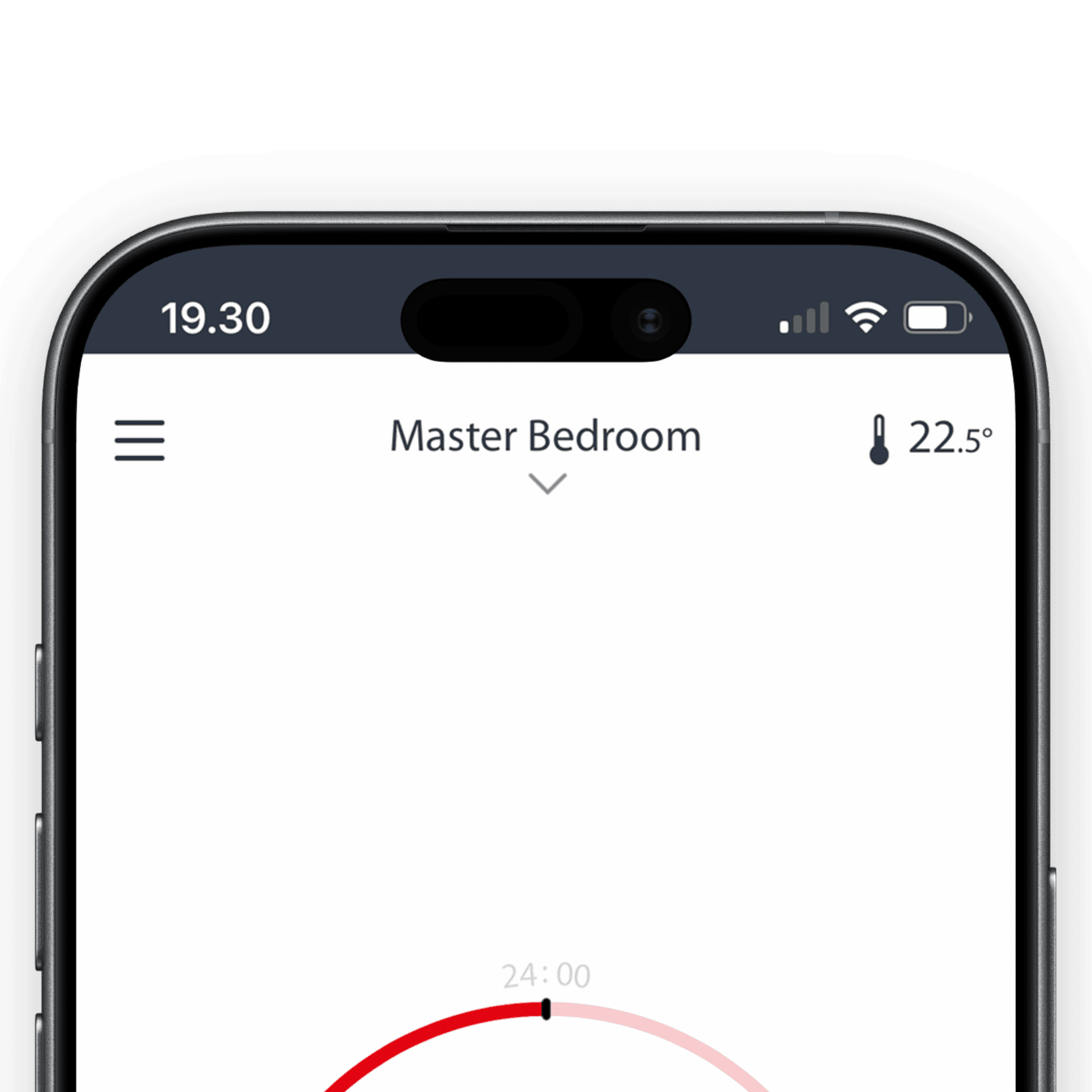
Accessibility
Key actions not thumb-friendly
The radiator selector (first action required in a session), the temperature control drawer (seen to the right), and the settings are all placed very high on the screen. This makes the app difficult to use with one hand.

Heuristic Evaluation
Visibility of System Status
It is not clear what this number means. Is it the current temperature? Is it the intended temperature? How does it relate to the number up top?
The low color contrast also makes it difficult to see that this number is an interactive element.
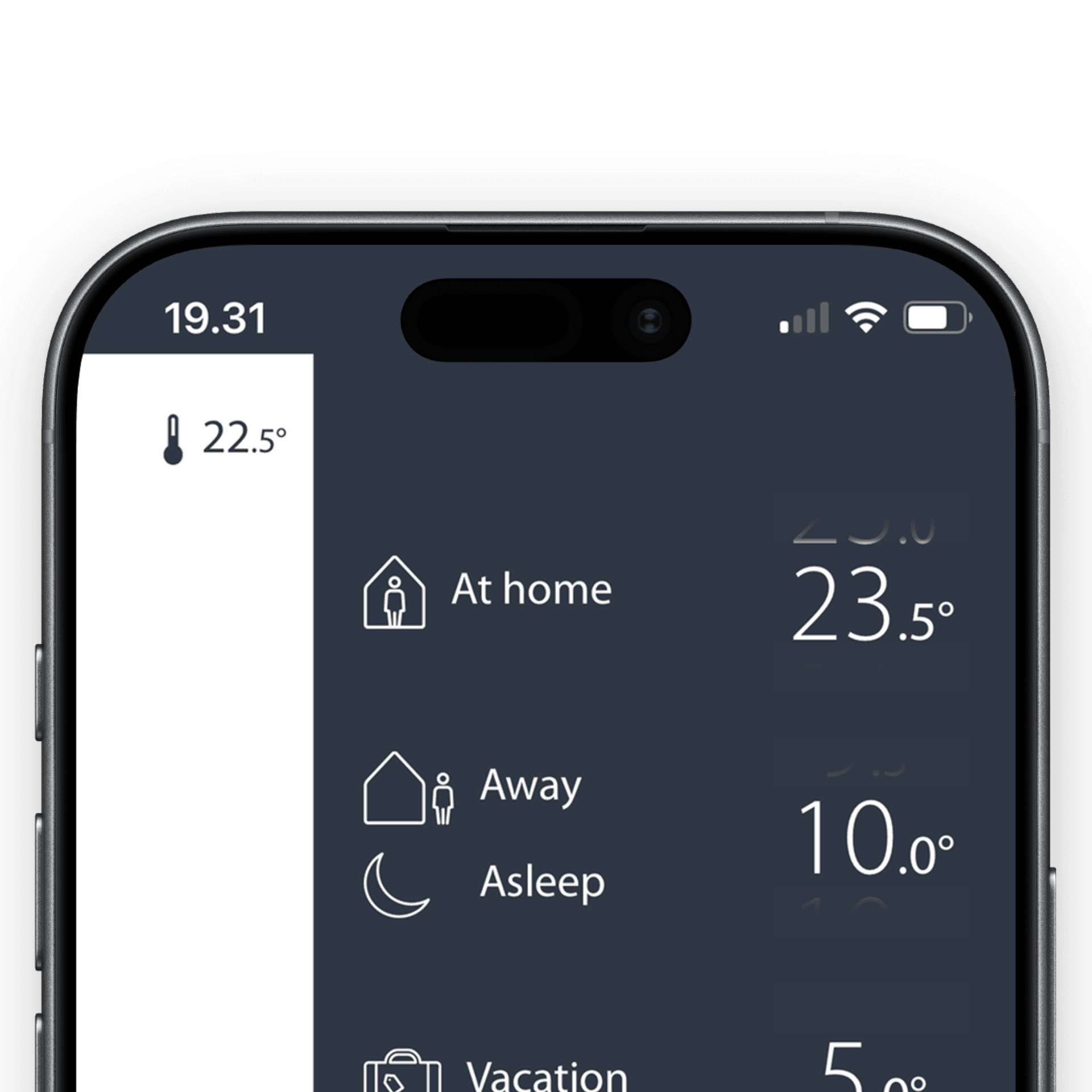
Accessibility
Key actions not thumb-friendly
There is very little space to scroll and change the temperature because this element is place so high on the screen.

Heuristic Evaluation
Match System Status & Real World
In the app a circle represents the heating schedule and status, but a circle represents temperature on the physical product .
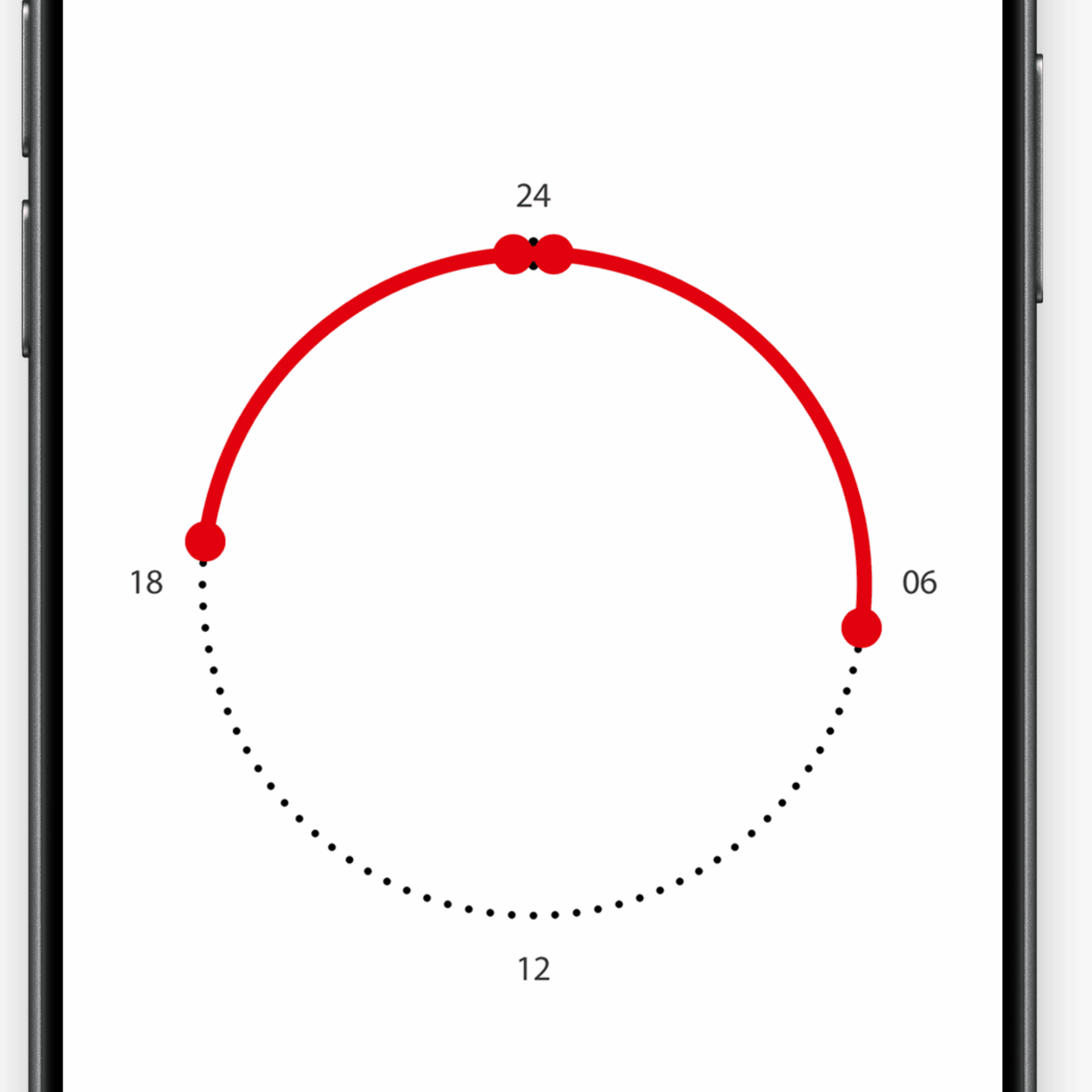
Heuristic Evaluation
Consistency & Standards
Time selection is very common interaction pattern used in many different smartphone apps. The pattern used here is unique and has to be learned as novel concept.
Accessibility
Difficult Interaction Pattern
This element is difficult to use, leading to a lot of errors needing to be corrected. The circle visual representation is also misleading as the schedules are daily instances.
Key Iterations


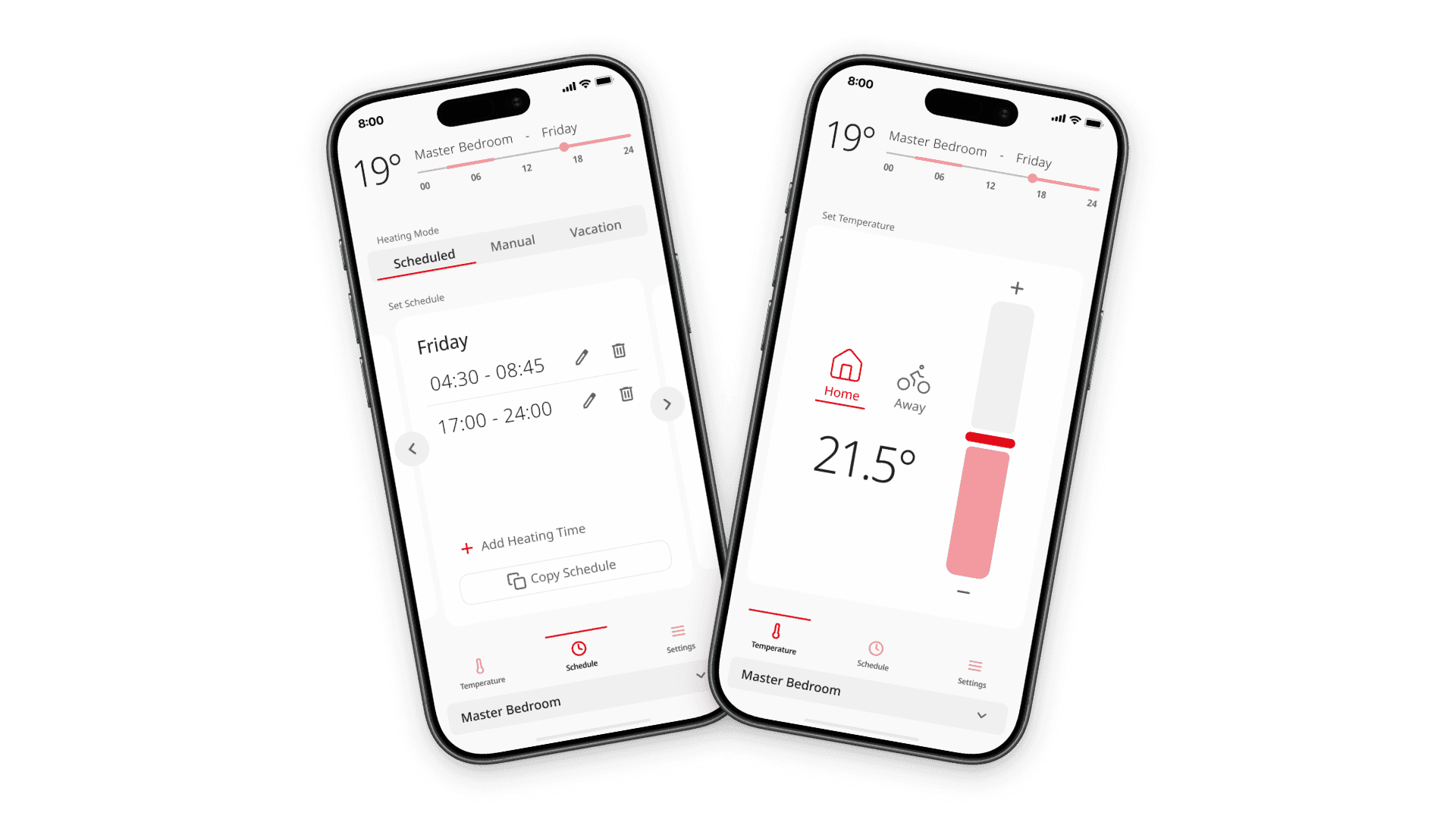


As part of the project, I also explored a second visual direction inspired by skeuomorphism and neumorphism. These styles rarely find a place in commercial products, but the tactile nature of a companion app for a physical device made it an interesting opportunity to experiment.
The large circular control became both the visual centerpiece and the primary interaction. Rather than using a conventional slider, users adjust the temperature by rotating the dial, mirroring the physical product and reinforcing the connection between the interface and the device.
Like many of my personal projects, the goal wasn't simply to learn a new style. It was to understand where it works, where it breaks down, and how a different visual language influences the overall experience.

